
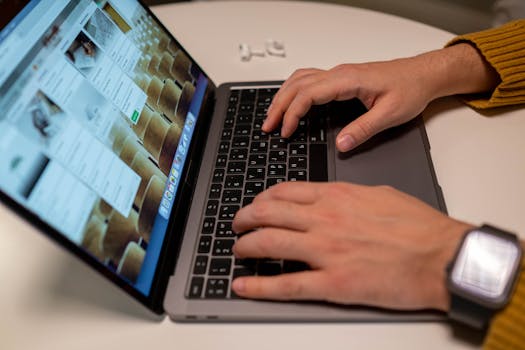
New gadgets and breakthrough platforms capture attention, yet the real shift happens quietly in the background when future technology trends work their way into our daily routines.
Every professional, from remote worker to company executive, benefits as these technologies change office expectations and redefine workplace productivity and collaboration in concrete ways.
Exploring these trends gives practical answers for adapting—whether you manage a team, set your own schedule, or want smart strategies for “What’s next?” in your workday.
AI-Driven Automation Redefines Everyday Workflow Efficiency
People who add automation tools see faster project completion and fewer manual errors. This approach frees up time for innovation and lets future technology trends work in your favor immediately.
Integrating AI into scheduling, data entry, or instant-message support allows anyone to delegate repetitive work, leading to real focus on creative or high-value tasks without constant context-switching.
Identifying Repeatable Tasks for Automation
Start by listing tedious jobs taking place each week—such as copying info between spreadsheets or sending regular meeting notes. These tasks are ideal for low-friction automation.
For instance, use email filters to forward client requests into task trackers. A simple checklist might read: “Auto-forward invoices, sync meetings to calendars, create ticket from message.”
Once the first automation runs smoothly, it’s easier to add more. Every time you finish a repetitive job twice, ask: “Can this become a rule once, not a chore forever?”
Building Confidence with Small Automation Wins
Tackle a single, visible workflow first. For example: “Every Friday, compile this week’s sales from my inbox and add totals to our shared report.”
Use tools with easy rule-builders so mistakes are low stakes and changes are fast. Each completed task builds trust, showing future technology trends work as expected in practical contexts.
Document each step and result: “Email – filter – report,” adding a checkmark when data lands where you want. Adjust rules for accuracy, and repeat the process for new work challenges.
| Workflow Task | Manual Solution | Automated Tool | Next Action |
|---|---|---|---|
| Weekly status emails | Type and send each Monday | Email bot with template | Automate template trigger |
| Time tracking | Manual entry | Automatic time logger | Set up auto-start/stop |
| Meeting transcriptions | Hand-taken notes | AI-powered recorder | Enable for every call |
| Invoice filing | Sort PDFs by hand | Auto-save to folders | Create file-naming rules |
| Task reminders | Sticky notes | Integrated app notifications | Map reminders to deadlines |
Collaboration Platforms Are Changing Team Dynamics
Adopting smarter communication tools brings transparency and accountability to shared projects, ensuring future technology trends work to support clear expectations across teams no matter the location.
For hybrid or distributed groups, shared digital platforms help update everyone in real time, replacing confusing email threads with transparent message logs and collaborative task boards.
Creating Accountability With Task Boards
When using collaborative software, assign priorities using boards. Every team member can see what’s finished, what’s blocked, and who’s responsible for each project step.
One manager’s checklist might say: “Move task cards to ‘review’ column when drafts are ready; set due dates as stage gates for work handoffs.”
- Adopt visible task boards: teammates drag cards to ‘in progress’ or ‘complete’ columns so roles are clear.
- Set stage gate reviews: check task status each Friday to catch delays early—assign next steps on the call.
- Use tagging for priorities: label urgent cards or red-flag dependencies so critical tasks don’t slip through the cracks.
- Document decisions: summarize agreements on board comments so nobody needs to dig through emails.
- Share access links: ensure every contributor can update or track their deliverables, no more gatekeeping.
Weekly reviews on a board like this let remote teams say, “I can see progress without guessing who’s doing what.” It brings clarity to fast-changing projects.
Balancing Synchronous and Asynchronous Updates
Some work needs real-time conversation, while detailed feedback often fits text posts or threaded notes. Let future technology trends work by choosing when to sync live and when to leave written handoffs.
Hold weekly standup video calls for urgent topics; for in-depth planning, record explanations so people can dig in during their best focus times without back-to-back meetings.
- Save short chat for real decisions: launch calls to unblock quick issues, but keep brainstorming on boards or in shared docs.
- Record milestone recaps: share links to meetings and written takeaways, ensuring understanding without more check-in calls.
- Assemble asynchronous feedback: collect suggestions directly inside project trackers so everyone can chime in before changes roll out.
- Schedule smart push notifications: ping contributors ahead of deadlines, not constantly throughout the day; let silence mean focus.
- Review feedback at regular intervals: use end-of-week retrospectives, not scattered replies, to drive improvements and keep everyone aligned.
With clear habits for each—calls for urgency, docs for details—teams see future technology trends work better for both individuals and the whole group.
Remote Work Technology Builds Flexibility Into the Workday
Mobile apps and cloud desktops make work locations meaningless, allowing anyone to log on and contribute productively wherever future technology trends work best for their schedule or lifestyle.
In a remote setting, the right app mix prevents delays and creates fast, reliable routes for sharing, editing, and approving every kind of document.
Setting Up a Remote-First Rulebook
A remote-friendly tool stack starts with simple, accessible solutions. Teams that agree on one chat app, one file hub, and a calendar avoid mixed signals and lost requests.
A product manager’s guide: “Post all specs to our shared drive; use the pinned chat channel for urgent announcements; deadlines live only on the team calendar—no exceptions.”
This clarity keeps future technology trends work from becoming fragmented—every update lands in one known place, easy to reference later or hand off smoothly.
Solving Security Concerns for Distributed Teams
Security matters more as files circulate beyond office walls. Require password managers and two-factor authentication for critical systems or confidential data in your remote toolkit.
Make protocols simple: “Add new users to the password vault; audit file permissions weekly; enable device wipe for lost laptops.” These micro-rules help future technology trends work without risk.
Offer example scripts: “Type the project code into the authenticator app, then upload docs only to approved platforms.” Every new hire learns the process during onboarding, making safety standard instead of exceptional.
Digital Skills Training Keeps Teams Adaptable
Pursuing ongoing upskilling helps teams use future technology trends work to their full advantage by continuously learning new apps, tools, and digital habits that drive productivity and creativity at every level.
Set aside regular time for micro-lessons, tool tryouts, and scenario-based learning so each person’s confidence grows with each new software update or system change.
Encouraging Bite-Sized, On-Demand Learning
Use platforms offering lessons as short as 10 minutes; assign one video per week, followed by a group chat where people demo what they learned in real time.
An actionable sequence: “Friday afternoons, watch a skill-building clip, then show one use-case to the team—save big topics for quarterly workshops.” Adopt future technology trends work habits easily in this low-pressure setting.
Track completed modules with a team leaderboard for friendly accountability: the leaderboard makes results visible, turning skill-building into a shared challenge rather than a solitary task.
Building a Digital Mentorship Program
Pair junior staff with digital-savvy mentors. The mentor shows a new tool or process, then asks the mentee to run the same steps hands-on the following day.
Instructions might say, “Log in, import a project, edit three files, send your changes for review,” with tips given on camera or chat. Each pairing lets future technology trends work in day-to-day support.
At the end of the week, reverse the lesson: mentees walk mentors through another tool they’ve explored independently. This keeps learning mutual, energetic, and grounded in daily work patterns.
Rethinking Wellness with Tech-Assisted Work Routines
Pacing the workday with reminders and health-focused tools ensures energy is managed and burnout risk shrinks, allowing future technology trends work to support well-being as much as productivity.
Smart prompts like “stand and stretch,” guided meditation apps, or adjustable lighting scenes all foster focus while putting health first amid demanding schedules or digital meetings.
Scheduling Micro-Breaks for Focus
Set recurring timers—every 50 minutes, pause for five. On-screen prompts could read: “Walk, sip water, breathe—return refocused.” These brief rests let future technology trends work to preserve energy all afternoon.
Map out the most intense stretches of your day and set extra reminders before or after calls. Protecting high-focus windows lets you deliver deep work without fatigue building up unseen.
Record how breaks affect your mood and output; adjust timing for your rhythm, not just published advice. Over time, this habit becomes integral, not optional, for high-performing remote teams.
Using Wearables to Support Health Goals
Smartwatches track standing time, pulse, or sleep to help everyone notice dips in energy or attention. Set milestone alerts so even invisible gains—like extra steps—get noticed and celebrated.
If one person’s tracker says, “You’ve hit only 500 steps by noon,” they’ll know it’s time to stretch, take a call on the move, or revisit their daily plan quickly.
This tangible feedback lets future technology trends work by closing the gap between intention and habit, ensuring that physical and mental health stay in balance with ongoing digital demands.
Decision-Making Through Data-Driven Insights
Embracing data analysis leads to smarter choices and better project outcomes, letting leaders and individuals see how future technology trends work to surface trends, anomalies, and key signals amid everyday noise.
Accessible analytics dashboards give context to team progress, identifying what’s working well and what needs improvement—enabling timely responses instead of last-minute fire-fighting or missed targets.
Establishing Simple Data Review Habits
Check one dashboard report before each planning meeting: look for “Red, yellow, green” signals and compare to the previous week’s numbers, not just gut feelings or memory.
Try a script: “Review this month’s project completion rate. If below 80 percent, search for delayed steps, then update our process before the next sprint begins.”
This discipline means future technology trends work as decision aids, not barriers—streamlining the switch between insight and action each week, building confidence in evolving playbooks.
Turning Data Into Tangible Action Plans
Create cheat sheets linking common metrics to responses. For example: “If chat response delay exceeds two hours, add a standby rotation for overlapping coverage during lunch breaks.”
Have teams confirm changes in meetings by stating the root cause: “We missed two deadlines last week due to unclear roles—solution, color-code owner on all task cards.”
Publish revised checklists alongside each metric: as numbers move, future technology trends work because action plans evolve, not just reports.
Looking Ahead: Adaptability in a Changing Tech Landscape
The workplace keeps shifting as new tools enter and expectations change. Embracing adaptability lets everyone make future technology trends work for them, no matter the job title or career path.
Stay alert to emerging patterns by sharing new tech experiments, joining pilot programs, or testing integrations on small projects before making sweeping changes across your company or team.
Continuous learning, thoughtful tool adoption, and mutual support ensure future technology trends work as enablers of productivity, balance, and creativity—rather than new sources of stress.


