
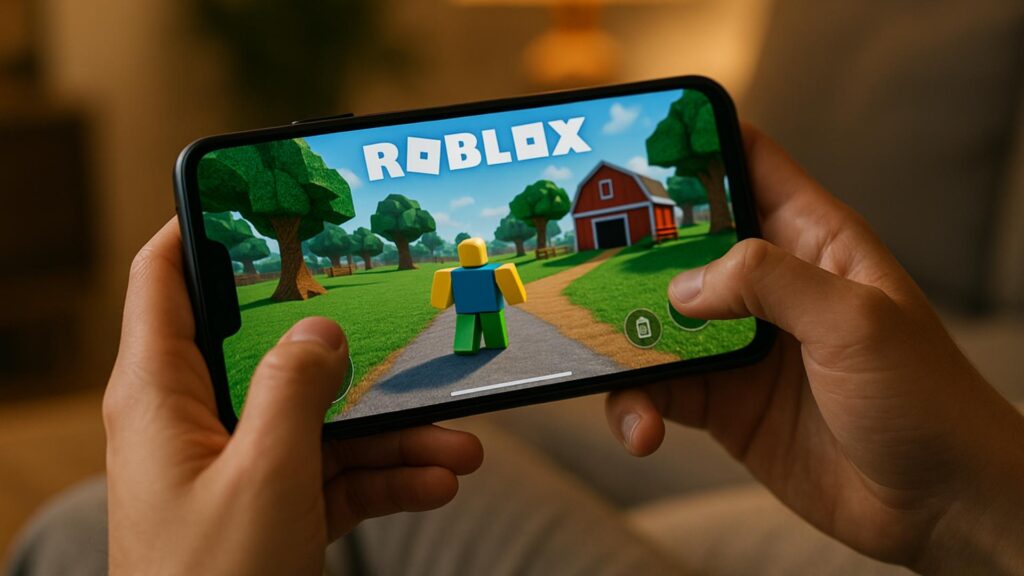
Aquí aprenderás, en menos de 10 minutos, en lenguaje gamer:
- Cómo descargar
- Cómo conseguir Robux de forma segura
- Dónde encontrar códigos promocionales
- Cómo crear tu propio juego
- ¿Cuáles son algunos de los mejores títulos para empezar hoy?
Cómo crear tu propio juego en Roblox y convertir tu tiempo en dinero
Si eres el tipo de jugador que siempre piensa "Me gustaría mejorar este juego", Roblox Studio es tu oportunidad de poner esa idea en práctica.
Básico paso a paso
- Inicie sesión en su cuenta de Roblox en la PC.
- Descarga Roblox Studio desde el sitio web oficial.
- Abra el programa y elija una plantilla (obby, simulador, ciudad, etc.) o comience desde cero.
- Edita el mapa, añade objetos, establece reglas y crea mecánicas.
- Utilice scripts ya preparados de la comunidad para agregar sistemas más complejos, incluso si todavía está aprendiendo.
- Pruébelo varias veces hasta que el juego funcione sin problemas.
- Publícalo en la plataforma y compártelo con tus amigos.
Una vez publicado, podrás monetizarlo con:
- Pases de juego (acceso VIP, mundos extra, potenciadores, etc.).
- Objetos exclusivos dentro del juego.
- Recompensas especiales para suscriptores Premium.
¿Por qué tanta gente está obsesionada con Roblox?
Roblox se destacó por una simple razón: reúne todo lo que ama la comunidad de jugadores en un solo lugar.
- Podrás jugar a millones de experiencias gratuitas, desde simuladores hasta juegos de terror.
- Podrás crear tus propios mundos sin necesidad de ser un programador profesional.
- Puedes ganar Robux y, en algunos casos, convertirlos en dinero real.
- Y también hay un lado social muy fuerte: chat con amigos, eventos, fiestas, shows virtuales y comunidades para todos los gustos.
En lugar de ser un juego único y cerrado, Roblox es un universo entero creado por los propios jugadores. Cuanto más exploras, más cosas nuevas descubres.
Cómo descargar e instalar Roblox de la manera correcta
Antes de empezar a pensar en Robux, avatares con estilo y juegos famosos, necesitas tener Roblox instalado de forma correcta y segura. El proceso es sencillo y completamente gratuito.
PC y Mac
- Vaya al sitio web oficial de Roblox en su navegador.
- Crea tu cuenta con un correo electrónico, nombre de usuario y contraseña válidos.
- Después de iniciar sesión, haga clic en cualquier juego de la plataforma.
- El instalador de Roblox se descargará automáticamente. Solo ábrelo y sigue las instrucciones en pantalla.
- Después de eso, cada vez que hagas clic en un juego en el navegador, Roblox se abrirá directamente en la aplicación.
Android e iOS
- En Android, abre Google Play Store, busca “Roblox” y descarga la aplicación oficial.
- En iOS, ve a la App Store, busca “Roblox” e instálalo.
- En ambos casos, la aplicación es gratuita. Al abrirla, solo tienes que iniciar sesión con la misma cuenta que usas en tu PC (o crear una nueva si es la primera vez).
Xbox One y Xbox Series
- En la consola, abra Microsoft Store.
- Busca “Roblox”.
- Descarga el juego gratuito y, después de la instalación, inicia sesión.
Consejo para el jugador
Usa el mismo correo electrónico y la misma cuenta en todas las plataformas. Así, tu avatar, tus compras y tu progreso se mantendrán sincronizados, ya sea que juegues en móvil, PC o consola.
Robux: cómo conseguir la moneda de Roblox de forma segura
Robux es lo que impulsa gran parte de la experiencia en Roblox. Con esta moneda virtual compras ropa, accesorios, animaciones, artículos especiales y ventajas en los juegos.
No necesitas Robux para jugar, pero es lo que desbloquea la parte premium de la plataforma. Descubre las principales formas fiables de conseguir Robux.
1. Compra directa
Es el método más rápido y sencillo:
- Dentro de la aplicación o en el sitio web, eliges un paquete de Robux.
- Paga con tarjeta, saldo de la tienda o métodos digitales como Google Pay o PayPal (varía según la región).
- Los Robux llegan a tu cuenta casi instantáneamente.
Ideal para quienes desean un artículo específico o quieren potenciar su cuenta sin esperar.
2. Suscripción Premium de Roblox
Roblox Premium es una suscripción mensual que ya viene con Robux incluido, además de beneficios adicionales.
- Eliges un plan con una cantidad fija de Robux por mes.
- Los suscriptores pueden vender artículos, tener más opciones de intercambio y participar en los sistemas de intercambio de Robux dentro de la plataforma.
- En muchos casos también obtienen bonificaciones o condiciones especiales en las compras.
Para aquellos que juegan todo el tiempo, es una forma más estable de recibir Robux cada mes.
3. Creación de juegos, ropa y artículos.
Aquí es donde entra el lado "creador" de la comunidad. Con Roblox Studio, puedes crear tu propio juego y ponerlo en línea para que otras personas puedan jugarlo.
Puedes ganar Robux cuando:
- Los jugadores compran pases de juego (por ejemplo, acceso VIP o ventajas especiales).
- La gente compra artículos y ropa que creaste para su avatar.
- Tu juego ofrece productos dentro del juego (pase de juego, artículos cosméticos, mejoras y más).
Los juegos y objetos que explotan pueden generar miles de Robux, y los creadores elegibles pueden incluso convertirlos en dinero real a través del programa oficial para desarrolladores.
4. Tarjetas de regalo de Roblox
Las tarjetas de regalo son una forma segura de agregar crédito a su cuenta.
- Se venden en tiendas físicas y en los principales sitios web de venta minorista.
- Recibes un código, lo canjeas en el sitio web de Roblox y obtienes Robux o crédito de suscripción.
- Son ideales para regalar o para aquellos que no quieren utilizar una tarjeta de crédito directamente.
Lo que debes evitar
Si te apasiona Roblox, probablemente ya hayas visto anuncios que prometen "Robux gratis" en sitios web aleatorios, vídeos sospechosos o grupos extraños. Evita eso.
Evitar totalmente:
- Generadores de Robux en línea.
- Sitios que piden tu contraseña o correo electrónico a cambio de Robux.
- Descargar archivos desconocidos para “hackear” el juego.
- Promesas de Robux a cambio de acortadores de enlaces, encuestas extrañas o compartir cuentas.
En el mejor de los casos, no pasa nada. En el peor, pierdes tu cuenta, tus artículos y, aun así, entregas tus datos a estafadores.
Códigos promocionales en Roblox: dónde encontrarlos y cómo usarlos
Los códigos promocionales son códigos promocionales que desbloquean artículos cosméticos, accesorios y bonificaciones para tu avatar sin que necesites gastar Robux.
En general, estos códigos aparecen en:
- Eventos temáticos realizados por la propia plataforma.
- Alianzas oficiales con marcas o influencers.
- Comunicaciones oficiales de Roblox en las redes sociales.
Para utilizar un código de promoción:
- Ve a la página oficial de canje de códigos de Roblox (asegúrate siempre de estar en el sitio web real).
- Inicie sesión en su cuenta.
- Escriba el código de promoción y confirme.
- El artículo desbloqueado va directamente a tu inventario.
Importante: Los códigos promocionales tienen fecha de caducidad y son limitados. Si te gustan los artículos gratis, te recomendamos estar atento a los canales oficiales y eventos especiales.
Juegos populares para empezar con buen pie
La lista de experiencias dentro de Roblox es interminable, pero algunos juegos destacan por sus comunidades activas y actualizaciones constantes.
Algunos ejemplos:
- ¡Adoptame! – centrado en la adopción de mascotas, el comercio de artículos raros y la decoración de casas.
- Brookhaven – un juego de rol de mundo abierto con una ciudad, coches, casas e historias creadas por los propios jugadores.
- Bienvenido a Bloxburg – un simulador de vida con trabajos, construcción de casas y una rutina virtual.
- Torre del Infierno – Desafíos de parkour sin puntos de control, perfectos para aquellos que les gusta poner a prueba su habilidad y paciencia.
- MeepCity – una experiencia social con minijuegos, fiestas, pesca y decoración.
Explorar estos juegos es una excelente manera de comprender qué funciona bien en la plataforma: mecánicas simples, visuales impactantes, actualizaciones constantes y mucha libertad para que el jugador cree su propia experiencia.
Requisitos mínimos y consejos para ejecutar Roblox incluso en una PC de gama baja
Una de las grandes ventajas de Roblox es que funciona en muchas máquinas diferentes, incluyendo computadoras más sencillas. Pero con algunos ajustes, todo funcionará mejor.
En PC y portátiles
- Tener un sistema operativo actualizado (Windows 7 o posterior, o un macOS reciente).
- Un procesador de doble núcleo puede manejar la mayoría de los juegos, pero cuanto más nuevo, mejor.
- A partir de 4 GB de RAM, la experiencia tiende a ser más fluida, especialmente si sueles mantener varios programas abiertos.
- Las tarjetas gráficas dedicadas ayudan, pero muchas GPU integradas ya son suficientes para jugar.
En los teléfonos móviles
- Utilice las últimas versiones de Android o iOS.
- Si es posible, mantenga al menos algunos gigabytes libres en su almacenamiento.
- Cierra otras aplicaciones mientras juegas para evitar fallas.
Trucos para mejorar el rendimiento
- Reduce la calidad de los gráficos en la propia configuración de Roblox.
- Cierre los programas que utilizan mucha memoria, como los navegadores con muchas pestañas abiertas.
- Siempre que sea posible, utilice una conexión estable (Wi-Fi o una conexión por cable en PC).
- Mantenga su sistema operativo y controladores gráficos actualizados.
Seguridad: cómo proteger tu cuenta, tus Robux y tu tiempo
Cuanto más en serio te tomes Roblox, más en serio deberás tomar también la seguridad.
Protegiendo su cuenta
- Utilice una contraseña segura que no se reutilice desde otros sitios.
- Habilite la verificación en dos pasos para dificultar que los atacantes accedan a su cuenta.
- Nunca comparta su contraseña con amigos, socios comerciales o desconocidos.
- Desconfía de los mensajes que piden datos personales o prometen Robux fáciles
Controles y privacidad
Dentro de la configuración de tu cuenta, puedes:
- Limite quién puede enviarle mensajes o invitaciones.
- Restringir las interacciones sólo a amigos.
- Ajusta las opciones de privacidad para el chat y tu lista de juegos.
Estas características son importantes para quienes juegan en familia o desean una experiencia más controlada.
Equilibrio temporal
Roblox es tan divertido que puedes perder la noción del tiempo fácilmente. Si notas que juegas demasiado, conviene establecer algunos límites:
- Establezca horarios específicos para jugar y horarios para descansar.
- Evita pasar largos periodos en juegos muy repetitivos solo por el sentimiento de obligación de cultivar.
- Utilice alarmas para recordarle que debe tomar un descanso.
Conclusión: tu próxima fase en Roblox comienza ahora
Roblox en 2026 es mucho más que un pasatiempo. Es una plataforma donde puedes:
- Descubre nuevos mundos cada día.
- Crea tu propio juego desde cero.
- Personaliza tu avatar hasta el más mínimo detalle.
- Gana Robux usando métodos oficiales y seguros.
- Sea parte de una comunidad global que sigue creciendo sin parar.
Si eres un fanático incondicional de Roblox, el siguiente paso es simple:
- Asegúrate de estar utilizando la aplicación oficial, instalada correctamente.
- Elija algunos juegos populares para calentar.
- Establece una estrategia segura para obtener Robux.
- Comienza a jugar con Roblox Studio y descubre si hay un creador dentro de ti esperando a salir.
El universo de Roblox está en constante expansión. Cada inicio de sesión es una oportunidad para vivir una nueva historia, unirte a un servidor diferente, probar un nuevo modo o incluso lanzar el próximo gran éxito de la plataforma.
La decisión ahora es tuya: ¿seguirás viendo jugar a otros o te lanzarás de verdad y disfrutarás de todo lo que Roblox tiene para ofrecer?
Aviso importante: Este sitio no está afiliado, patrocinado ni respaldado por Roblox. Todo el contenido es informativo e independiente, sin ninguna conexión oficial con la plataforma ni sus marcas registradas. Usa siempre solo los canales oficiales para descargar el juego, realizar pagos y administrar tu cuenta.


